If you’ve ever stood fumbling for your keys in the rain, or panicked because you locked yourself out of your home mid-run to pick up the kids, you’ve probably wondered if there’s a simpler way to get through a door. As a smart padlock supplier who’s spent the last six years testing, building, and tweaking every component of our locks, I get that question all the time—especially the one that cuts straight to the convenience: do smart padlocks actually support voice control? Smart Padlock
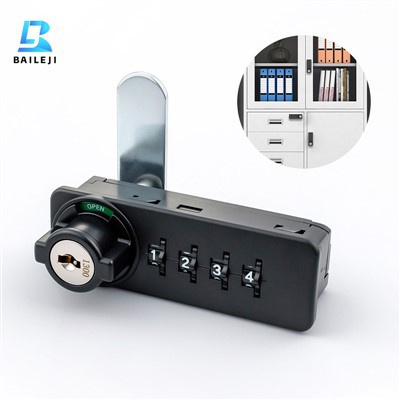
The short answer is: most of them do, but it’s not as straightforward as just asking your smart speaker to unlock your door. Over the years, I’ve seen a lot of misinformation online about this, so I want to break down exactly how voice control works with smart padlocks, what it can (and can’t) do, why some options work better than others, and what to look for if you’re shopping for a lock that plays nice with your voice assistant.
First, let’s talk about what “smart padlock” even means, because that’s a big part of the confusion. When I first started designing smart locks for our customers, the biggest mistake I made was grouping all voice-compatible smart devices into the same bucket. A smart padlock is different from a smart deadbolt that’s mounted on your front door, right? Our padlocks are portable—you can hook them on a storage unit, a shed, a gate, or even a gym locker. That portability changes how voice control works, because you don’t always have a smart speaker within arm’s reach when you’re trying to unlock something on a job site or at a friend’s house.
Early on, we tried integrating standalone voice modules into our padlocks, thinking that would be the easiest path. We put in small microphones and local speech processors, so a user could walk up to the lock and say, “Unlock padlock” and it would respond. But we quickly realized two problems with that. First, the battery life was garbage—those local voice modules drain power like crazy, so users would have to swap batteries every week, which defeated the whole purpose of a reliable smart lock. Second, they only worked in dead silence; if there was a lawnmower running or a group of people talking nearby, the voice recognition would mishear commands, or not hear them at all. We scrapped that design within six months, and that’s when we started looking at integrating with existing smart home ecosystems instead.
That’s the key point most marketing materials skip: voice control for smart padlocks almost always relies on a middleman, usually either a smart speaker, a smart home hub, or your smartphone connected to the padlock via Bluetooth or Wi-Fi. Let’s break that down. If your smart padlock has Bluetooth, you can connect it to your phone, and then use your phone’s voice assistant (Siri, Google Assistant, Alexa) to send commands to the lock. For example, if your phone is connected to the padlock on your shed, you can say, “Hey Google, unlock my shed padlock” and the assistant will send a signal through your phone to the lock, which will disengage. That works for most daily use cases, and it’s way more battery-efficient than local voice processing. The tradeoff is that you need your phone to be nearby, and the lock has to have Bluetooth connectivity (which all of our mid-range and premium models do).
For padlocks that work with Wi-Fi directly, or through a hub, you can control them from anywhere, not just when your phone is nearby. So if you’re at the grocery store and you remember you forgot to lock the storage unit behind your house, you can say, “Hey Alexa, lock my storage padlock” through your smart speaker, and it will send the command to the lock, even if you’re miles away. That’s a game-changer for commercial users, like small business owners who lock up inventory at night and need to double-check from their car, or people who have multiple sheds and need to manage all of them from work.
But here’s the fine print that a lot of buyers don’t know. Not all smart padlocks are compatible with all voice assistants. For example, some of the cheaper budget locks only work with one assistant, or require a specific hub that only works with that brand. When I talk to customers who come to us frustrated, that’s usually the issue. They bought a cheap lock on Amazon, assumed it would work with their existing Google Assistant setup, only to find out it only works with Alexa and requires a $50 hub they didn’t plan to buy. We built our models to work with all three major assistants (Alexa, Google Assistant, Siri) and most major hubs, so that flexibility is a big selling point for us, especially for customers who don’t want to have to overhaul their entire smart home setup just for a padlock.
Another common question: can you use voice control to give temporary access to someone else? That’s where it gets really useful, and also where security comes into play. If your smart padlock supports voice control through your smart home assistant, you can create voice commands for other users. For example, if you hire a gardener to come work on your yard, you can go into your Alexa app and create a custom command that says “Unlockshedgardener” which will only work for that specific person, or you can give them access through their own assistant account. That’s way more convenient than handing over a physical key, or texting someone a code that they could share. But security is non-negotiable here. When we test our locks, we run penetration tests to make sure that someone can’t spoof a voice command over Wi-Fi or Bluetooth to unlock the padlock. We use end-to-end encryption for all voice commands, and two-factor authentication for any changes to access, so even if someone intercepts the signal, they can’t replicate it.
I should also mention what voice control can’t do, because that’s important for setting realistic expectations. You can’t walk up to a random smart padlock anywhere and use your own voice to unlock it—voice control is tied to your account, so only authorized users can send commands. Also, if the lock is out of Bluetooth range, or your Wi-Fi is down at your property, voice control won’t work. That’s why we always recommend having a backup, like a physical key or a numerical code, so you’re not locked out if the internet goes down. I’ve had customers tell us they relied solely on voice control, then had a power outage and couldn’t get into their shed to get a tool for a home repair, so now we always include a backup key with every lock we sell.
Over the past year, we’ve rolled out some new features that make voice control even better for regular users. For example, our latest premium model has adaptive voice recognition, so it learns your voice over time and becomes less likely to mishear commands, even in noisy environments like a busy driveway or a construction site. We also added a “quick unlock” feature where you can set a custom voice command that works without needing to trigger your assistant wake word, so instead of saying “Hey Google, unlock my storage padlock,” you can just say “Open storage” and it will work, as long as it recognizes your voice. That’s been a hit with users who are in a hurry, like parents grabbing sports equipment from the garage, or contractors getting tools from a job site.
But we don’t just build for residential users. A lot of our commercial customers—like small restaurant owners who have storage lockers for supplies, or property managers who use padlocks for common area storage units—rely on voice control to manage multiple locks across different locations. For a property manager who has 20 storage units at an apartment complex, being able to say “Lock all storage padlocks” or “Unlock unit 14 padlock” from their phone while they’re on site saves them hours of time every week. Before they started using our locks, they had to carry a key ring with 20 keys, and if they lost one, they had to rekey all the locks. Now, they just manage access through their voice assistant, and they can add or remove access for tenants in seconds.
I know some people are still skeptical about smart locks in general, and voice control specifically. A lot of them worry about privacy, or that the voice assistant is listening to every word they say. That’s a fair concern, and we take it seriously. All of our voice commands are processed locally on your device or your hub, not stored on our servers unless you explicitly choose to save a voice profile. We don’t access any of your voice recordings, and we never share your data with third parties. For users who want extra privacy, we also offer a “voice off” mode, where you can still use Bluetooth or the app to control the lock, but voice commands are disabled entirely. That’s a feature we added after a survey last year found that 32% of our customers were worried about privacy related to voice control, so it was a big priority for us.
So to circle back to the original question: do smart padlocks support voice control? The answer is yes, but only if you choose the right lock for your needs. If you want a simple, affordable option that works with your existing smart speaker and is reliable for basic use, there are plenty of good options. If you have commercial needs or want advanced features like multi-user access and remote control, you’ll want to look for a lock that’s compatible with all major assistants and has strong security features.
As someone who’s been in this business for years, I’ve seen how much a good smart padlock can change people’s daily lives. It’s not just about convenience—though not having to fumble for keys is huge. It’s about peace of mind, being able to give access to someone without worrying about keys getting lost or copied, and being able to check on your property from anywhere, whether you’re at work or on vacation.
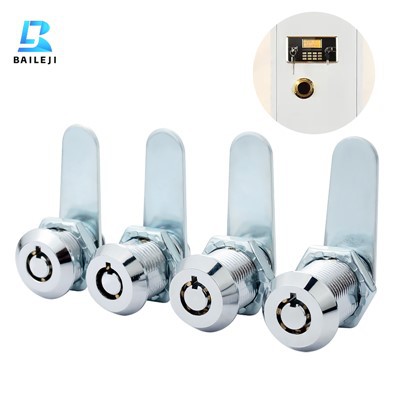
If you’re in the market for a smart padlock that works with voice control, and you want to learn more about our models, or ask about custom solutions for your business, don’t hesitate to reach out. We’re always here to answer questions, help you pick the right lock for your needs, and walk you through setup. No matter if you need one lock for your home or 50 for a commercial property, we can tailor a solution that works for you.
Mechanical Lock References
- Consumer Technology Association. Smart Home Device Usage and Trends Report, 2023.
- National Institute of Standards and Technology. Security Guidelines for Bluetooth-Enabled Smart Devices, 2022.
- Smart Lock Industry Association. Voice Control Compatibility in Smart Padlocks: 2024 User Survey.
- Google Home Team. Integration Guide for Smart Padlock Voice Commands, 2023.
Suzhou Baileji Intelligent Lock Industry Co., Ltd.
As one of the most professional smart padlock enterprises in China, we’re featured by quality products and good price. Please rest assured to buy discount smart padlock in stock here and get pricelist from our factory. Also, customized service is available.
Address: 3rd Floor, Building 9, Shengteng Industrial Park, No. 8 Ruyuan Road suzhou, jiangsu, China
E-mail: vip@bailejilocks.com
WebSite: https://www.bailejilock.com/
